How to Perform Visual Testing on Pages with Dynamic Content
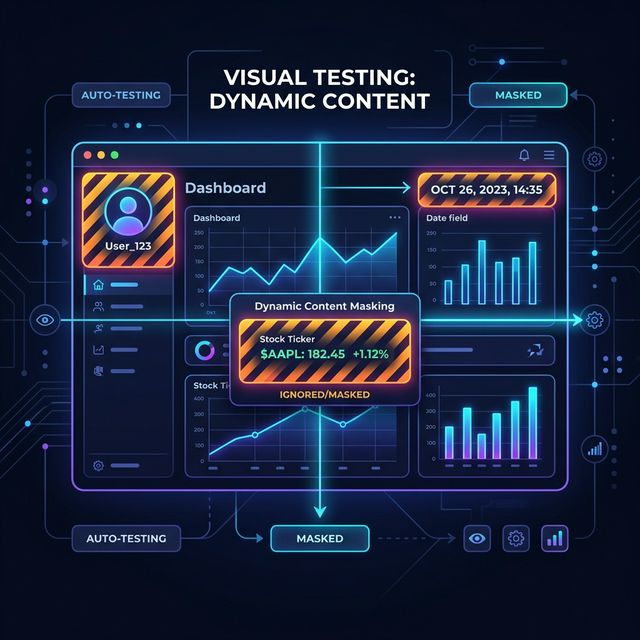
Visual Regression Testing works perfectly for a static "About Us" page. But real-world applications are not static. There are real-time changing prices in an e-commerce cart, charts that update second by second on a SaaS dashboard, randomly loading ad banners, or user profile avatars.
When you try to test such "dynamic" content using traditional pixel-by-pixel comparison, your tests will fail 100% of the time (false positives). Because there is no visual bug on the page, only the data (date, time, price) has changed.
In this article, we will examine how modern teams stabilize visual tests on dynamic pages using "Masking" and "Tolerance".
1. The Dynamic Content Problem and "False Positive" Hell
Imagine a visual test running every time your development team commits code (PR) via CI/CD. The top right corner of your site says Last Updated: 14:35. The test server takes a screenshot of this page and compares it with the Baseline (previously approved version).
In the Baseline, it said 11:20. There you have a "False Positive". Even though there's no layout or CSS shift, the test fails. If your team has to manually approve these "fake" bugs every day, "Alert Fatigue" sets in, and no one trusts the tests anymore.
2. Solution 1: Masking Sensitive Areas (Masking / Ignoring)
The most professional way to prevent dynamic parts from breaking the test is to exclude these specific elements (DOM nodes) from the algorithm. "Masking" means telling the testing tool, "When you see this element, cover it with a black box and don't look for pixel differences."
How to do it?
- Assigning Static Classes: Developers can add special CSS classes (e.g.,
.ignore-visual-test) to dynamic data to be ignored during testing. - Smart DOM Masking: With modern SaaS products like Crawlens, you don't need to write code. Right on the Crawlens dashboard, you can draw a box over the screenshot of the tested page and say, "Ignore this date/price area." The algorithm masks this area on the next run.
3. Solution 2: Pixel Tolerance and Anti-Aliasing
Sometimes you don't want to mask the entire dynamic area. For example, you want to make sure the color of a button hasn't changed, but the text inside the button might constantly change from "3 Items in Cart" to "4 Items in Cart".
The solution is "Tolerance" levels. Crawlens' Smart Grouping algorithms allow you to configure pixel matching tolerance levels (e.g., allow up to 5% difference). It also completely ignores microscopic color differences caused by cross-device "Anti-Aliasing" (font smoothing pixels) with the help of AI, saving you massive amounts of time.
Conclusion
No matter how dynamic and complex your application is, you are not condemned to manual QA processes. With the right Masking strategies and advanced tools focused on debugging like Crawlens, you can continuously subject even streaming stock data to visual testing without errors. Ship your code confidently!
Explore Our Solutions
Discover tools that will elevate your software quality.
Related Posts

Core Web Vitals 2026: Advanced Strategies to Improve the INP Metric
Learn from experts how to optimize INP by eliminating unnecessary re-render processes in Next.js and React (SSR, SSG) projects.

Modernizing Your Frontend Test Strategy: Unit, Integration, and Visual E2E
Why are modern frontend teams moving away from 'too many unit tests' toward Visual E2E? A technical leadership perspective on testing philosophy.

Different Countries, Different Issues: Geo-Visibility Device Analysis for Global Websites
Just because your website loads fast in your office doesn't mean it's flawless globally. Discover location-based rendering errors and how to fix them.