What is Alert Fatigue and How It Consumes Engineering Teams?
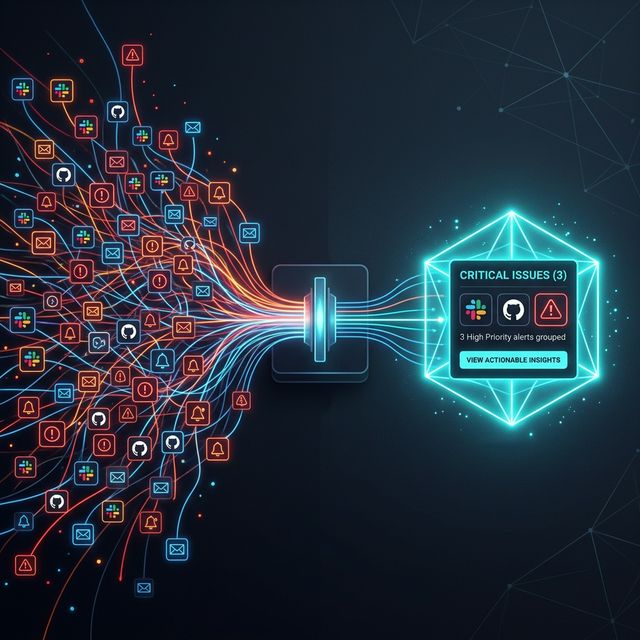
If you're a DevOps or QA engineer, this scenario will sound familiar: A red error notification drops into your company's #alerts Slack channel every second. Your phone rings at 03:00 AM for a meaningless "Server Response Time Increased" error. Shortly after, your mind gets used to these notifications and starts to ignore (mute) them.
That moment is the most dangerous moment for your company. When a truly critical database crash occurs, it gets lost among these notifications. In systems engineering, this is called Alert Fatigue.
1. The Devastating Effects of Alert Fatigue
Constantly repeating and non-actionable notifications silently rot the morale of a technology team.
- Increased Response Time (MTTR): Developers waste time figuring out which of the hundreds of unnecessary errors is real.
- Missed Critical Bugs: When "Mark All as Read" for Slack notifications becomes a reflex, critical (P0) errors like application crashes or broken customer checkout steps may go unnoticed for days.
- Engineering Stress (Burnout): Meaningless error notifications during night shifts or weekends directly lead to "burnout syndrome".
2. Why Are We Getting So Many Errors? (False Positives)
"Noise" is inevitable in visual testing and monitoring tools. Systems can throw hundreds of errors for the following reasons, even when there is no problem in your code:
- An ad banner or an "Accept" cookie pop-up loading simultaneously breaks the test.
- A momentary network disruption (network timeout) in the CI/CD pipeline causes tests for hundreds of pages to fail simultaneously.
- When a global color code (CSS variable) is changed, thousands of buttons on the site look different, and you receive 10,000 separate notifications.
This is exactly where smart systems are needed.
3. Reducing Noise by 90% with Smart Grouping
Modern quality assurance (QA) and monitoring tools no longer use brute-force alarm systems. Smart Grouping features found in platforms like Crawlens solve this chaos using Artificial Intelligence (AI) and DOM structure analysis.
How Does Smart Grouping Work? Let's say a CSS error in a global Header component broke the layout of 500 different pages on your site. Legacy systems will send you 500 emails saying "500 Different Pages Have Errors".
Smart Grouping analyzes the DOM. It understands that the HTML div causing the error is the "same Header component" across all 500 pages. It sends you exactly 1 notification over Slack: "Critical Error: Your Header component seems broken on 500 pages."
When you approve or reject that error with a single click, all 500 pages are automatically updated in the background. This reduces hours of manual debugging for your team to a single second.
Conclusion
The attention of your engineers is your company's most valuable resource. Stop drowning them in trivial alarms. The right testing is not writing more tests or getting more notifications; it's focusing only on the most valuable, actionable information with correct filtering (Smart Grouping) methods. Say goodbye to alert fatigue with Crawlens and protect your team's mental health.
Explore Our Solutions
Discover tools that will elevate your software quality.
Related Posts
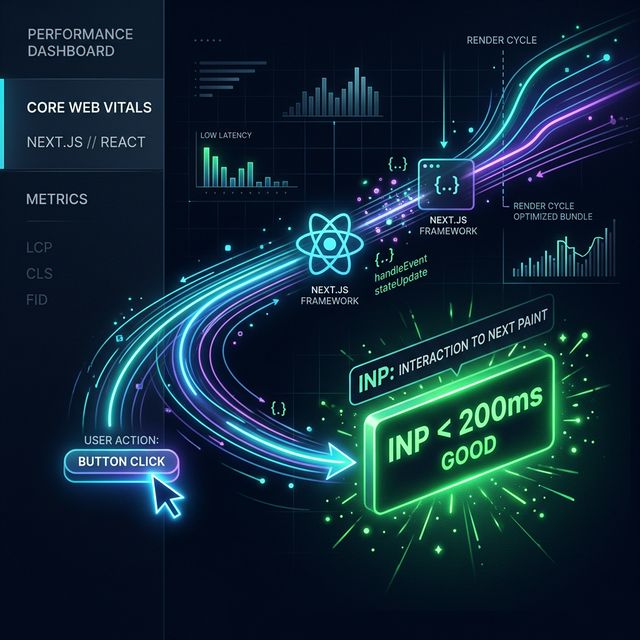
Core Web Vitals 2026: Advanced Strategies to Improve the INP Metric
Learn from experts how to optimize INP by eliminating unnecessary re-render processes in Next.js and React (SSR, SSG) projects.

Modernizing Your Frontend Test Strategy: Unit, Integration, and Visual E2E
Why are modern frontend teams moving away from 'too many unit tests' toward Visual E2E? A technical leadership perspective on testing philosophy.

Different Countries, Different Issues: Geo-Visibility Device Analysis for Global Websites
Just because your website loads fast in your office doesn't mean it's flawless globally. Discover location-based rendering errors and how to fix them.